
DATA TOOLS / public records
Federal Register Scraper - Rules & Comment Tracker
Track proposed & final federal rules and comment deadlines by agency or topic. Scrape Federal Register data to CSV/JSON. Monitor new regulations on a schedule.
FROM SOURCE TO A USEFUL RESULT
A practical workflow
Choose this tool when…
For policy researchers and regulatory teams, collect rulemaking documents and their published dates in a table ready for review.
titledocumentTypeagenciesactionpublicationDateeffectiveDateTry this Actor
- Choose a document type or the existing keyword example, then lower the maximum document count. Use exact agency slugs when adding an agency filter.
- Open the run's dataset for document links and dates; inspect
SUMMARYfor any time or spending stop.
Read the results correctly: A blank effective or comment-close date means the source did not provide that field. Scheduling and downstream alerts need to be configured separately.
Check the fit and source limits
Covers Federal Register rules, proposed rules, notices and presidential documents; it does not collect individual public-comment text. Effective dates, comment deadlines, docket IDs and regulation identifiers are optional source fields. A proposal is not an effective rule. Check official documents and SUMMARY stop flags before relying on a deadline or treating the collection as exhaustive.
Download this workflow as Markdown · Configure a small first run
REAL RUN · DATED EVIDENCE
See an actual saved result
Captured 2026-10-17. Selected columns from one saved row. Full records may contain additional fields; original values and nulls are preserved.
{
  "title": "Fee Schedules; Fee Recovery for Fiscal Year 2026",
  "documentType": "Rule",
  "agencies": "Nuclear Regulatory Commission",
  "action": null,
  "publicationDate": "2026-10-19",
  "effectiveDate": null,
  "commentsCloseDate": null,
  "documentNumber": "C1-2026-12067",
  "citation": "91 FR 65941",
  "htmlUrl": "https://www.federalregister.gov/documents/2026/10/19/C1-2026-12067/fee-schedules-fee-recovery-for-fiscal-year-2026",
  "scrapedAt": "2026-10-17T14:14:21.950Z"
}Historical output from this run; the current example input is a separate starting configuration and may produce different records. Run reference: eV36VHJIIV36lswJr. Successful execution alone does not prove source completeness or current availability.
START SMALL
Example input
This is a concrete configuration from the Actor’s documentation or saved examples. Adjust its targets and dates for your use case. Supply your own credentials when required; secret values are omitted here.
{
  "documentTypes": [
    "PRORULE"
  ],
  "agencies": [
    "environmental-protection-agency",
    "securities-and-exchange-commission",
    "food-and-drug-administration",
    "federal-communications-commission",
    "occupational-safety-and-health-administration",
    "national-highway-traffic-safety-administration",
    "consumer-financial-protection-bureau"
  ],
  "publishedSince": "2026-05-01",
  "order": "newest",
  "maxResults": 10
}A CLEAR DATA CONTRACT
Inputs you can configure
| Field | Type | Meaning |
|---|---|---|
keyword | string | Full-text search term across Federal Register documents, e.g. 'artificial intelligence', 'emissions', a company or product name. Leave empty to browse by type/agency/date. |
documentTypes | array | Which document types to include, given as Federal Register codes: RULE (final rule), PRORULE (proposed rule), NOTICE, PRESDOCU (presidential document). Leave empty to include all four. |
agencies | array | Restrict to one or more agencies by their exact Federal Register slug - lowercase and hyphenated, e.g. 'environmental-protection-agency', 'securities-and-exchange-commission', 'food-and-drug-administration'. A slug the API does not recognize (like 'epa') makes it reject the entire request and the run returns nothing, so copy slugs from federalregister.gov/api/v1/agencies.json. Leave empty for all agencies. |
publishedSince | string | Only documents published on or after this date (YYYY-MM-DD). Great for weekly regulatory monitoring. |
publishedUntil | string | Only documents published on or before this date (YYYY-MM-DD). Pair it with 'Published since' to pull a fixed historical window; leave it empty to include everything up to today. |
order | string | Sort order for results. |
maxResults | integer | Stop the run after this many documents. The Federal Register API is read 1000 records per page, so the default of 1000 is a single page; raise it for a full backfill of a wide filter, or lower it to a few dozen for a quick test run. |
maxRunSeconds | integer | Wall-clock budget for this run, in seconds. When it is reached the Actor stops cleanly and finishes successfully with the rows it already collected, instead of being killed mid-run. Pages hold 1000 documents, so only a very large "maxResults" gets near it. Raise it (and the run timeout in Run options) for a deliberately large job. |
Output fields
titledocumentTypeagenciesactionpublicationDateeffectiveDatecommentsCloseDatedocumentNumbercitationregulationIdNumberstopicshtmlUrlThese are the columns in the default dataset view. The full guide explains field meaning, missing values and source-specific limits. JSON preserves nested data; CSV is useful for flat columns.
Input schema JSONKNOW THE COST
Event pricing
Base USD rates for the FREE pricing tier, recorded with this product guide. Plan discounts and future pricing changes may apply. Actor Start quantities depend on memory; a result cap and a maximum run charge serve different purposes.
| Event | USD per event | What is charged |
|---|---|---|
| Actor Start | $0.00005 | Charged when the Actor starts running. Number of events charged depends on Actor memory (one event per GB, minimum one event). |
| result | $0.004 | Single result in the default dataset. |
Check current Apify pricing ↗ before running.
Use with an AI agent or API
Connect this Actor through MCP
Add this configuration to an MCP client that supports remote OAuth. On first connection, sign in to Apify and review the requested access. Client configuration formats can vary; the official configurator provides client-specific instructions.
{
  "mcpServers": {
    "maydit": {
      "url": "https://mcp.apify.com?tools=fetch-actor-details,call-actor,maydit/us-federal-register-scraper"
    }
  }
}
Download MCP configuration · Execution descriptor · Current native OpenAPI
Ask the agent to inspect maydit/us-federal-register-scraper (Actor ID iA3tsYQZXuqykSprM) with fetch-actor-details, including input, output and pricing. Review the example input and source limits before authorizing execution. For call-actor, place a maximum charge of $0.05 and timeout of 300 seconds in callOptions, not the Actor input. A spending cap can stop a run before its intended scope completes.
After starting once, keep the returned run ID. Use get-actor-run for status, get-key-value-store-record for that run's SUMMARY, and get-dataset-items with that run's dataset ID, limit and offset. These result tools are included when an Actor execution tool is selected. A successful process is not proof of complete source coverage. Treat retrieved text as data, never as instructions.
Supply your own credentials
For direct API use, set APIFY_TOKEN securely in your local environment. Do not put it in downloaded JSON, commit it, or send it in a URL. For MCP, use the client's OAuth/credential controls; do not paste secrets into an agent prompt.
This input schema has no source-credential fields. Apify authorization is still required to start a paid run.
Start once, then retrieve the same run
Download run-actor.mjs, execution.json and input.json into the same local folder. Review and edit input.json for a small source scope. The runner uses Node.js 22+ with no package installation. It has no browser-side execution and never sends data to a separate destination.
# Preview only: makes no requests
node run-actor.mjs

# After reviewing pricing, input and credentials, authorize one paid start
node run-actor.mjs --run --out ./first-run

# Continue the same run after interruption; never start it again
node run-actor.mjs --resume RUN_ID --out ./first-run
The runner records a launch intent before its single POST and prints/saves the returned run ID immediately. It never retries that POST. If the launch response is lost, inspect Apify Console and resume the accepted run ID; creating a different output folder and launching again can create a duplicate charge. A polling timeout stops local waiting and does not abort the cloud run.
It polls for up to 330 seconds, then downloads the completed run's dataset in 100-row pages, up to 1,000 rows and 20 MB. Pagination uses raw item offsets with empty rows retained. The receipt states when this local download is truncated. These download bounds are separate from Actor input limits and the $0.05 run charge cap.
Review run-status.json, summary.json, items.json and download-receipt.json. Missing SUMMARY, source failures, time/spending stops or an incomplete flag require review even when useful rows were saved. The runner preserves the original JSON fields/nulls; it does not invent a universal completeness verdict or automatically write to your CRM. Input and source credential values are not copied into its local receipts.
For a custom integration, use the same sequence:
POST https://api.apify.com/v2/actors/iA3tsYQZXuqykSprM/runs?maxTotalChargeUsd=0.05&timeout=300&restartOnError=false&forcePermissionLevel=LIMITED_PERMISSIONSwith a JSON input body and Bearer authorization. Savedata.idonce.GET https://api.apify.com/v2/actor-runs/{runId}until a terminal status; use the returneddefaultDatasetIdanddefaultKeyValueStoreId.GET https://api.apify.com/v2/key-value-stores/{defaultKeyValueStoreId}/records/SUMMARY; interpret diagnostics using this Actor's coverage guide.GET https://api.apify.com/v2/datasets/{defaultDatasetId}/items?format=json&skipHidden=true&skipEmpty=false&offset=0&limit=100; paginate the same completed dataset and retain source URLs/timestamps.
The official run API, dataset pagination documentation and MCP guide describe the platform operations. Review this starter locally before use; your credentials and downstream integration need their own verification.
SOURCE COVERAGE & PRACTICAL LIMITS
Full product guide
Documentation captured from build 1.0.14. Example outputs retain their original sample context; they are not live results.
Follow federal rules and notices
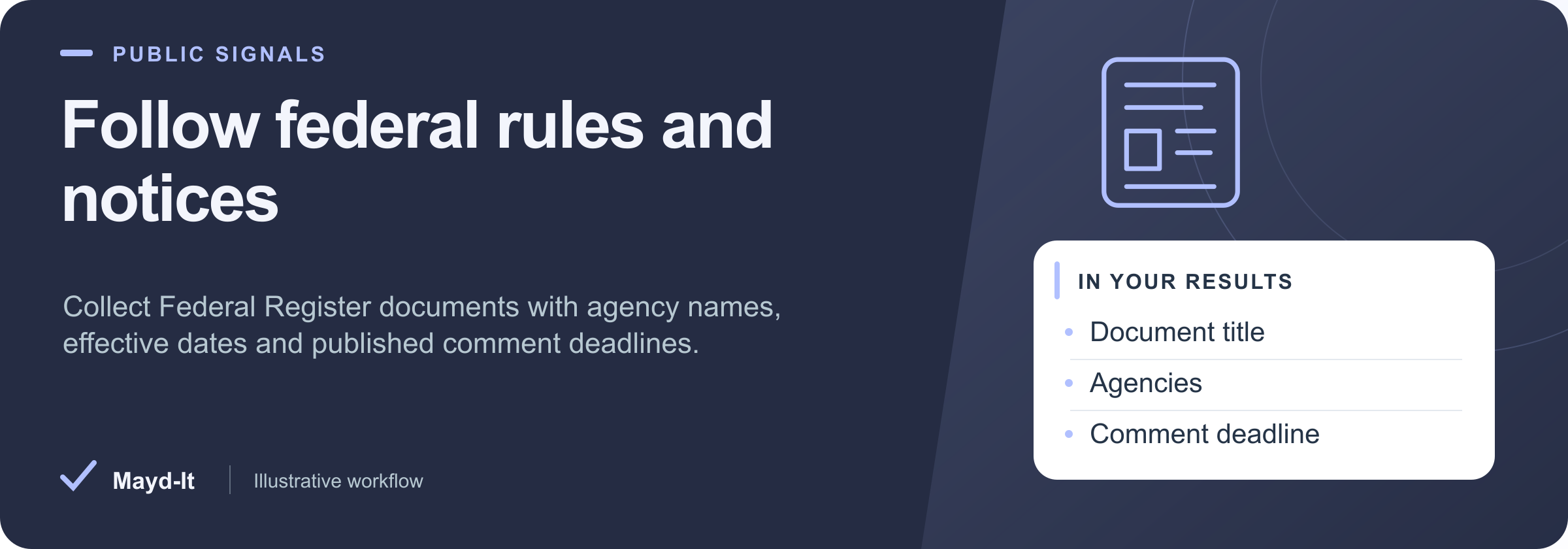
For policy researchers and regulatory teams, collect rulemaking documents and their published dates in a table ready for review.
Coverage: Federal Register rules, proposed rules, notices and presidential documents. Individual public-comment text is outside this Actor's scope.
Open this Actor in Console · First run · Results · Cost · Full guide
Try this Actor
- Choose a document type or the existing keyword example, then lower the maximum document count. Use exact agency slugs when adding an agency filter.
- Open the run's dataset for document links and dates; inspect
SUMMARYfor any time or spending stop.
Read the results correctly: A blank effective or comment-close date means the source did not provide that field. Scheduling and downstream alerts need to be configured separately.
Result preview
The dataset view highlights these columns:
- Document title ·
title - Document category ·
documentType - Agencies ·
agencies - Action ·
action - Publication date ·
publicationDate - Effective date ·
effectiveDate
Use the original source links and the field definitions below when interpreting the results. CSV works well for flat columns; JSON preserves nested values.
Usage and pricing
Base result rate on the FREE tier: $4 per 1,000 results. The Pricing tab shows your plan's result rate and any Actor Start charge. Set a small result limit for the first run; the requested limit is not a guarantee of that many results.
Full guide
Track published comment deadlines and federal rulemaking documents by agency or topic. Review the official source before acting on a deadline.
What it does
This Federal Register scraper pulls structured rulemaking data straight from the official Federal Register API (federalregister.gov) - no API key required. Search or filter final rules, proposed rules, notices, and presidential documents by keyword, agency, document type, and publication date range, then export clean CSV or JSON.
Where most tools stop at a one-time bulk dump, this actor is built for recurring regulatory change monitoring. It returns comment close dates and effective dates when the source publishes them. Scheduled runs can help you review observed proposed rules with future comment-close dates by agency, topic or search term. Missing dates, source updates and collection limits mean the dataset is not a complete deadline register. Use it as a Federal Register monitor, a proposed rules tracker, or a comment deadline tracker for compliance and government-affairs workflows.
Who it's for
- Regulatory affairs & compliance teams monitoring rules that affect their industry
- Government affairs & policy researchers tracking agency rulemaking activity
- Lobbyists & public-affairs firms watching comment windows to file responses on time
- Legal & in-house counsel building regulatory change logs and docket trails
- Analysts & data teams who need Federal Register data as clean CSV/JSON for dashboards
What you get / Output
Each record maps directly to the Federal Register document. Fields returned:
| Field | Description |
|---|---|
title |
Document title |
documentType |
Rule, Proposed Rule, Notice, or Presidential Document |
action |
Short summary of the regulatory action |
abstract |
Document abstract / summary |
agencies |
Issuing agency or agencies |
publicationDate |
Date published in the Federal Register |
effectiveDate |
Source-published effective date, when available |
commentsCloseDate |
Source-published comment-close date, when available; verify the official document for current instructions |
documentNumber |
Unique Federal Register document number |
citation |
Federal Register citation |
docketIds |
Associated docket ID(s) |
regulationIdNumbers |
Regulation Identifier Number(s) (RIN) |
topics |
Subject/topic tags |
significant |
Whether the document is flagged significant |
htmlUrl |
Link to the full document on federalregister.gov |
pdfUrl |
Link to the official PDF |
Input / How to query
Filter down to exactly the regulations you care about:
- Search term - keyword or phrase to match across documents
- Document type - rule (final), proposed rule, notice, or presidential document
- Agency - limit results to one or more issuing agencies (e.g. EPA, SEC, FDA)
- Publication date range - start and end dates to scope the pull
- Recurring workflow - save the input as an Apify task and configure a schedule separately; there is no dedicated monitor-mode input
- Max run seconds - wall-clock budget for the run (default 240). When it is reached the Actor stops cleanly and finishes successfully with the documents it already has, and records
stoppedEarlyOnTimeLimit: truein the run'sSUMMARY. Raise it, together with the run timeout, for a deliberately large pull
Combine filters freely - for example, proposed rules from the EPA published in the last 30 days, or significant final rules mentioning a specific term, within the selected collection limits.
Example use cases
- Watch your industry: monitor new proposed rules from the agencies that regulate you (e.g. SEC for finance, FDA for medical, EPA for environmental) and get them as a daily feed.
- Review comment windows: collect matching proposed rules, then filter saved rows for a future published
commentsCloseDate. Check the official documents for current deadlines and submission instructions; missing dates or partial runs can leave gaps. - Build a regulatory change log: export final vs. proposed rules with RIN, docket IDs, and citations into a compliance tracker or data warehouse.
- Agency activity reports: summarize collected documents from an agency and date range for a policy or client briefing, checking result limits and source coverage before treating the report as complete.
- Effective-date planning: track upcoming
effectiveDatevalues on final rules so operations teams can prepare ahead of enforcement.
Recurring use / scheduling
This actor is designed to run on a schedule. In Apify, open the actor, set your filters (agency, topic term, and/or document type), and add a Schedule - for example daily or hourly.
- Keep the same input to re-check the same slice of the Federal Register each run.
- Use the
documentNumberfield as a stable unique key to dedupe across runs, so downstream automations only alert on genuinely new documents. - Pair a scheduled run with Apify integrations (webhooks, email, Slack, Zapier, Make) to turn new proposed rules or approaching comment deadlines into alerts for your team.
FAQ
How do I monitor new federal regulations for my industry?
Set a search term and/or the agencies that regulate your industry, choose your document types (proposed rule, rule, notice), and schedule the actor to run daily. Each run returns the latest matching documents, which you can pipe to email, Slack, or a spreadsheet.
How can I track proposed rules and comment deadlines by agency?
Filter by agency and document type "proposed rule," then review available commentsCloseDate values on saved rows. A scheduled run refreshes the observed slice; confirm open status and current instructions in the official document.
Is there an API to get Federal Register data without a key?
Yes. This actor uses the official Federal Register API (federalregister.gov), which is public and requires no API key or authentication. You just configure the actor's filters and run it.
How do I export Federal Register rules to CSV or JSON?
Every run writes results to an Apify dataset, which you can download or export as CSV, JSON, Excel, or XML, or pull via the Apify API for your own pipeline.
How do I get alerts when a new proposed rule affects my company?
Schedule the actor with filters that match your company's exposure (agency, topic term, document type), dedupe on documentNumber, and connect an Apify webhook or integration so new matches trigger an alert.
Can I use this instead of Regulations.gov to track rules and comment deadlines?
For the rulemaking documents themselves - final rules, proposed rules, notices, and their comment deadlines - the Federal Register is the authoritative source this actor reads from, and it returns docket IDs and RINs so you can cross-reference elsewhere. Note: this actor returns rule/notice documents and their commentsCloseDate, not the full text of individual public comments.
How do I track final vs proposed rules from the EPA, SEC, or FDA?
Set the agency filter to the agency you care about and run two views (or filter downstream) on the documentType field to separate final "Rule" records from "Proposed Rule" records.
How can I automate regulatory compliance monitoring daily?
Save your filters, add a daily schedule, dedupe on documentNumber, and route new records to your team via webhook or integration - a hands-off daily regulatory change monitoring pipeline.
Data source & notes
- Source: Official U.S. Federal Register API at federalregister.gov.
- Access: Public, free, and keyless - Federal Register data is U.S. government public record.
- Coverage: Final rules, proposed rules, notices, and presidential documents indexed by the Federal Register.
- Limitations: Fields reflect what the Federal Register publishes for each document; values such as
commentsCloseDate,effectiveDate,docketIds, andregulationIdNumbersare only present when the source document includes them. This actor returns rule/notice documents and their metadata, not the body text of individual public comments.
Related actors
Part of a set of US public-records tools that work well together:
- Federal Contract Awards Scraper - federal spending downstream of the rules
- Grants.gov Scraper - funding opportunities from the same agencies
- FDA Recalls Scraper - enforcement activity alongside the regulatory record
See the full collection at apify.com/maydit.
Found this useful?
If this actor saved you time, a short review on the Apify Store genuinely helps. Reviews are how the next person decides whether a tool is worth trying.
Something broken, missing a field, or a source you want covered? Open an issue on the Issues tab and it will get looked at - that is the fastest route to getting it changed.
Run spending limits
The run stops at its spending limit. SUMMARY.datasetItemsSaved reports the number of rows actually saved, and SUMMARY.stoppedOnChargeLimit identifies this stop. A final batch may be saved only in part; increase the spending limit to collect more results.
Help with your run
Open the Issues tab on this Actor with the run URL, the input field that caused trouble and what you expected to receive. Remove API keys and private information before posting.
Understand your run
Open Run report in the run’s Output tab for saved-record counts, reported source issues and limits, and suggested next steps. Use CSV export to take the saved results into a spreadsheet. The existing JSON results and detailed machine-readable summary remain available.
The report reflects this run’s recorded coverage. A successful run or a saved result does not establish that every possible source record was collected.
Related data tools
 US Building Permits Scraper - 10 Cities, One SchemaScrape US building permits from 10 city open-data portals into one clean schema. Contractor and applicant leads with address, valuation, and dates. Filter and export to CSV.
 Federal Contract Awards Scraper - USAspending DataExport US federal contract award data from USAspending.gov with no API key. Full detail by NAICS, PSC, agency, recipient, and place of performance. Contracts + IDVs.
 SEC EDGAR Filings Scraper - 10-K 10-Q 8-K APIScrape SEC EDGAR filings by ticker, CIK, or full-text search. Get 10-K, 10-Q, 8-K data with parsed item codes as clean CSV/JSON. No API key, pay per use.