FROM SOURCE TO A USEFUL RESULT
A practical workflow
Choose this tool when…
For agencies and site owners maintaining authorized client websites and deployment checklists.
urlstatusCodetlsProtocolcertificateExpiresAtcertificateDaysRemaininghstsMaxAgecspPresentfindingCountcomparisonStatus
When does this certificate expire, and did the observed security configuration change?
Enter authorized exact URLs, inspect source evidence and structural observations, then compare later complete runs.
Check the fit and source limits
Passive HEAD requests only. No login, exploitation, endpoint probing, port scan, vulnerability score or compliance claim. Certificate validation stays enabled. An expired/untrusted TLS handshake fails visibly; it is never bypassed to fabricate a healthy result. Headers are observations for this method, path, edge and time. Their absence is not proof of a vulnerability. Different responses can have different policies.
Download this workflow as Markdown · Configure a small first run
REAL RUN · DATED EVIDENCE
See an actual saved result
Captured 2026-11-24. Selected columns from one saved row. Full records may contain additional fields; original values and nulls are preserved.
{
  "recordId": "web-security:5a12bac281bd20770346bcc28dc130f06633e1e703f9bd33f3449a77e368d798",
  "title": "Website headers · mayd-it.com",
  "url": "https://mayd-it.com/",
  "statusCode": 200,
  "tlsProtocol": "TLSv1.3",
  "certificateExpiresAt": "2027-01-05T10:45:00.000Z",
  "certificateDaysRemaining": 42,
  "hstsMaxAge": 31536000,
  "cspPresent": false,
  "findingCount": 1,
  "comparisonStatus": "not_requested",
  "sourceUrl": "https://mayd-it.com/",
  "observedAt": "2026-11-24T03:26:57.193Z"
}
Dated bounded private release evidence for this exact input/build. This does not establish current values, whole-source coverage or fleet health. Run reference: esbfMUmrfOeZgJbir. Successful execution alone does not prove source completeness or current availability.
START SMALL
Example input
Historical evidence for this exact JSON was recorded 2026-11-24 on its original build. This is not a fresh source-availability test. Adjust targets and dates for your use case. Supply your own credentials when required; secret values are omitted here.
{
  "urls": [
    "https://mayd-it.com/",
    "https://example.com/",
    "https://www.iana.org/domains/reserved"
  ],
  "maxResults": 3
}
Download input.json
A CLEAR DATA CONTRACT
Inputs you can configure
| Field | Type | Meaning |
|---|
urls | array | Exact public HTTPS URLs you own or are authorized to check. Up to 10. No credentials, private network addresses or account pages.
|
|---|
maxResults | integer | Bound the selected observation window and paid result events.
|
|---|
comparePrevious | boolean | The first complete run establishes a baseline under snapshotName. Partial runs do not advance it.
|
|---|
onlyChanges | boolean | Enables comparison. Unchanged records are neither saved nor charged.
|
|---|
snapshotName | string | Use 1–80 letters, digits, underscores or hyphens. Keep input filters the same to compare.
|
|---|
maxRunSeconds | integer | Source requests stop within this budget; partial coverage is reported explicitly.
|
|---|
Output fields
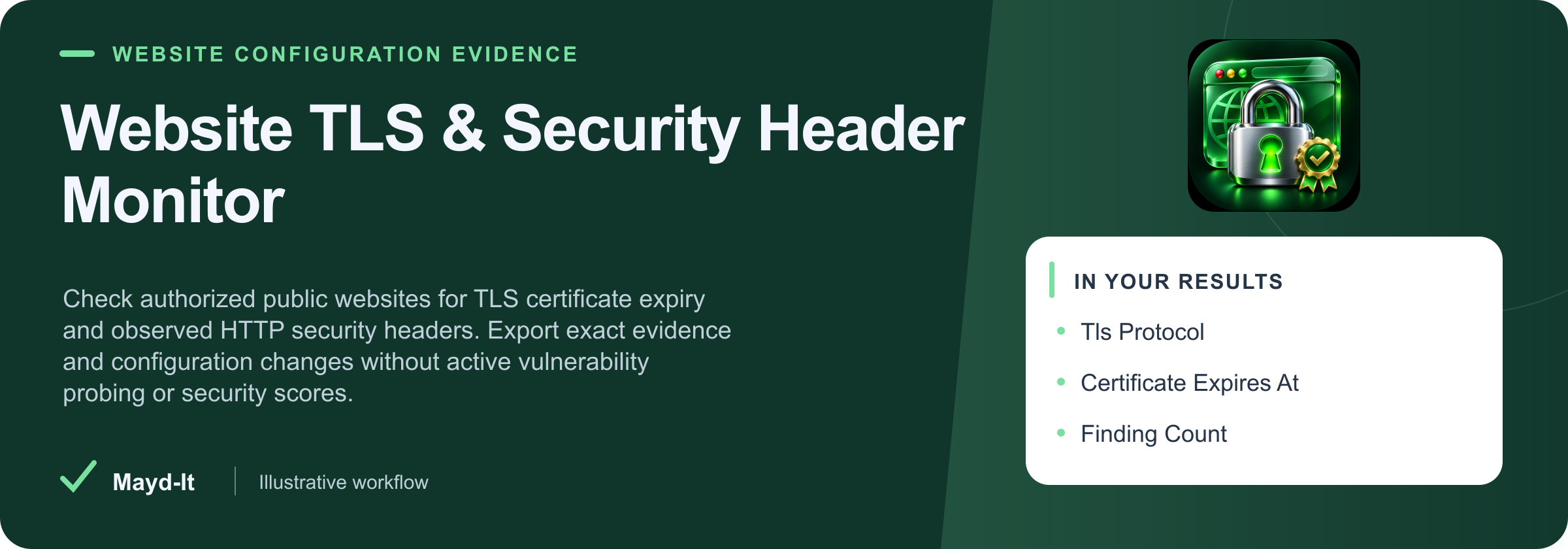
urlstatusCodetlsProtocolcertificateExpiresAtcertificateDaysRemaininghstsMaxAgecspPresentfindingCountcomparisonStatus
These are the columns in the default dataset view. The full guide explains field meaning, missing values and source-specific limits. JSON preserves nested data; CSV is useful for flat columns.
Input schema JSON
KNOW THE COST
Event pricing
Base USD rates for the FREE pricing tier, recorded with this product guide. Plan discounts and future pricing changes may apply. Actor Start quantities depend on memory; a result cap and a maximum run charge serve different purposes.
| Event | USD per event | What is charged |
|---|
| Actor Start | $0.00005 | Charged when the Actor starts running. Number of events charged depends on Actor memory (one event per GB, minimum one event). |
|---|
| Saved result | $0.001 | One validated source-backed result confirmed saved to the dataset; failed or filtered rows are not charged. |
|---|
BUILD A REVIEWED WORKFLOW
Use this with companion tools
Each Actor runs separately with its own inputs, authorization and pricing. These instructions do not configure automatic execution.
Parallel research context
Review DNS and email configuration alongside website transport and response headers.
- Use the same authorized business domain in both tools.
- Retain their separate timestamps and coverage reports.
- Prioritize verified configuration changes for human review.
These checks do not constitute a penetration test, certification or complete security assessment.
Read the companion guide →Parallel research context
Check whether a website rollout also introduced broken navigation.
- Audit the authorized website's TLS and headers.
- Run a small separate link-health check on its public pages.
- Review failures and security-header changes in the same release checklist.
An HTTP error is not proof of a vulnerability; blocked or incomplete checks need separate review.
Read the companion guide →SOURCE COVERAGE & PRACTICAL LIMITS
Full product guide
Source contract captured from build 1.0.1. Presentation refreshed 2026-11-24. Example outputs retain their original sample context; they are not live results.
Check authorized public websites for TLS certificate expiry and observed HTTP security headers. Export exact evidence and configuration changes without active vulnerability probing or security scores.
What you get
When does this certificate expire, and did the observed security configuration change? For agencies and site owners maintaining authorized client websites and deployment checklists.
Start in under a minute
- Keep the sample URLs for a small test, or enter URLs you own or are authorized to check.
- Click Start and open Output.
- Export JSON, CSV or Excel and check SUMMARY/RUN_REPORT for coverage.
Inspect three public-site configurations
Read TLS certificate and HEAD response-header evidence for three public example sites.
{
  "urls": [
    "https://mayd-it.com/",
    "https://example.com/",
    "https://www.iana.org/domains/reserved"
  ],
  "maxResults": 3
}
Inspect the Mayd It website
Get one compact certificate and header observation for our own public website.
{
  "urls": [
    "https://mayd-it.com/"
  ],
  "maxResults": 1
}
Start a security-configuration watch
Establish private history; later complete runs identify changed certificates and header settings.
{
  "urls": [
    "https://mayd-it.com/",
    "https://example.com/",
    "https://www.iana.org/domains/reserved"
  ],
  "maxResults": 3,
  "comparePrevious": true,
  "snapshotName": "site-security-watch"
}
Changes and history
comparePrevious establishes a private baseline after a complete run. Later runs retain previous values and changed fields for matching identities; onlyChanges skips unchanged records. Input URL scope and snapshotName isolate watches. Blocked sources, partial output, time or spending limits and concurrent history changes preserve the previous baseline. Missing rows do not prove removal.
Pricing and controls
$1.00 per 1,000 saved observations ($0.001 each), plus $0.00005 per run start. SUMMARY and RUN_REPORT are free diagnostics. Use maxResults and Apify Maximum cost per run to bound charges. maxResults selects a bounded output window from the entered URLs; it does not claim that every page or security setting was assessed. Unreturned observations do not establish absence or removal. No schedule is created automatically.
Scope and limits
- Passive HEAD requests only. No login, exploitation, endpoint probing, port scan, vulnerability score or compliance claim.
- Certificate validation stays enabled. An expired/untrusted TLS handshake fails visibly; it is never bypassed to fabricate a healthy result.
- Headers are observations for this method, path, edge and time. Their absence is not proof of a vulnerability. Different responses can have different policies.
- Requests respect robots, public-address checks, secure TLS and strict time/response bounds. Authentication/403/429 blocks are not bypassed. No cookies, credentials or private network requests.
API, automation and AI
Use the JSON recipes via Apify API, saved tasks, Make, Zapier or Apify MCP. Source URLs, stable IDs, observation timestamps and exact previous values support evidence-backed automation. No LLM is called.
Source documentation
https://developer.mozilla.org/en-US/docs/Web/HTTP/Reference/Headers
Independent tool by Mayd It LLC. Respect each target’s terms and data rights.
Companion workflows
Each Actor runs separately with its own inputs, authorization and pricing. These instructions do not configure automatic execution.
Review DNS and email configuration alongside website transport and response headers.
- Use the same authorized business domain in both tools.
- Retain their separate timestamps and coverage reports.
- Prioritize verified configuration changes for human review.
These checks do not constitute a penetration test, certification or complete security assessment.
Check whether a website rollout also introduced broken navigation.
- Audit the authorized website's TLS and headers.
- Run a small separate link-health check on its public pages.
- Review failures and security-header changes in the same release checklist.
An HTTP error is not proof of a vulnerability; blocked or incomplete checks need separate review.