
DATA TOOLS / news
Central Bank Policy Monitor - Fed & ECB News
Monitor official Federal Reserve and ECB news feeds. Export dated headlines, source links and keyword evidence; compare saved observations for new or edited announcements. No API key.
FROM SOURCE TO A USEFUL RESULT
A practical workflow
Choose this tool when…
Build a sourced briefing feed for economic research or policy-news workflows. This Actor returns official Federal Reserve and ECB feed metadata, with dated headlines, links and optional saved comparisons.
announcementIdpublishersourceIdtitleurlpublishedAtTry this Actor
- Choose a small scope. Use the existing Federal Reserve monetary-policy announcements example below: one feed, up to ten saved announcements, and twenty source candidates. Keep comparison off for a first snapshot.
- Run and review. Read announcement rows in the dataset and source coverage in the run's key-value-store
SUMMARY. Keyword and date filters apply within the current feed window. - Use the results. Export CSV for a headline list or JSON for evidence and comparison fields. Follow the official source link before interpreting an announcement.
Read this before using the data: Publication dates are not necessarily meeting or policy-effective dates. A changed feed record is not a policy-change judgment. Older announcements outside the current feed cannot be recovered by widening the date filter.
Federal Reserve Monetary Policy Announcements — copy this input into the JSON editor in Console.
{"sources":["fed-monetary"],"maxResults":10,"maxItemsPerSource":20}
Check the fit and source limits
Inspect the SUMMARY key-value record. It records source windows, invalid items, filters, duplicates, confirmed saved counts, unchanged skips, omitted sources, time and spending limits. Filtered or unchanged windows can be legitimately empty. An inaccessible or structurally invalid source produces diagnostics, never a paid error row. If all sources fail with no valid observations, the run fails. Partial success is explicitly marked.
Upstream availability, feed size and freshness are controlled by the publishers. The tool honors robots rules, checks public destination addresses, bounds response/decompression size, and rejects invalid XML/DTD declarations. It does not use proxies to bypass restrictions.
Download this workflow as Markdown · Configure a small first run
REAL RUN · DATED EVIDENCE
See an actual saved result
Captured 2026-10-15. Selected columns from one saved row. Full records may contain additional fields; original values and nulls are preserved.
{
  "announcementId": "ca688a27006cdc18bac09fd5edb687c617913c993eb5627f3893a13939502053",
  "publisher": "Board of Governors of the Federal Reserve System",
  "sourceId": "fed-monetary",
  "title": "Minutes of the Board's discount rate meetings on August 17, September 9, and September 16, 2026",
  "url": "https://www.federalreserve.gov/newsevents/pressreleases/monetary20261013a.htm",
  "publishedAt": "2026-10-13T18:00:00.000Z",
  "comparisonStatus": "new",
  "contentHash": "dba632edcc8f098ccc0ba34a10842a5162f37368d790a2c3fb5613fff6da3d0a",
  "observedAt": "2026-10-15T14:10:16.995Z"
}Historical output from this run; the current example input is a separate starting configuration and may produce different records. Run reference: uFpOkIapczGXnIJRS. Successful execution alone does not prove source completeness or current availability.
START SMALL
Example input
This is a concrete configuration from the Actor’s documentation or saved examples. Adjust its targets and dates for your use case. Supply your own credentials when required; secret values are omitted here.
{
  "sources": [
    "fed-monetary"
  ],
  "maxResults": 10,
  "maxItemsPerSource": 10
}A CLEAR DATA CONTRACT
Inputs you can configure
| Field | Type | Meaning |
|---|---|---|
sources | array | Choose fed-monetary, fed-all, or ecb-press. An omitted or empty list uses fed-monetary and ecb-press. Each feed contains a publisher-limited recent window. |
keywords | array | Optional case-insensitive literal substrings. At least one must occur in the headline or publisher feed excerpt. This does not search full articles. |
startDate | string | Optional inclusive YYYY-MM-DD publication date. Filtering a recent feed cannot retrieve older items that have rolled out of that feed. |
endDate | string | Optional inclusive YYYY-MM-DD date in UTC, not the policy effective date. |
maxResults | integer | Maximum confirmed saved announcement observations across all selected feeds. |
maxItemsPerSource | integer | Inspect at most this many newest feed items before applying filters. Unchanged skips do not extend this window. |
comparePrevious | boolean | Compare against this Actor’s named history. First run establishes a baseline from confirmed saved rows. |
onlyChanges | boolean | Enables comparison. First run saves the selected observations; an unchanged repeat may legitimately return no rows. No deletion or policy-effect inference. |
snapshotName | string | Use a distinct name for independent workflows. Sources and filters also isolate history. Run only one writer per namespace and filter combination. |
maxRunSeconds | integer | Own wall-clock budget, capped by the platform timeout. Every source request and retry shares the remaining budget. |
Output fields
announcementIdpublishersourceIdtitleurlpublishedAtexcerptsourceCategoriesmatchedTermscomparisonStatuschangedFieldscontentHashobservedAtfreeSourceNoticeThese are the columns in the default dataset view. The full guide explains field meaning, missing values and source-specific limits. JSON preserves nested data; CSV is useful for flat columns.
Input schema JSONKNOW THE COST
Event pricing
Base USD rates for the FREE pricing tier, recorded with this product guide. Plan discounts and future pricing changes may apply. Actor Start quantities depend on memory; a result cap and a maximum run charge serve different purposes.
| Event | USD per event | What is charged |
|---|---|---|
| Actor Start | $0.00005 | Charged when the Actor starts running. Number of events charged depends on Actor memory (one event per GB, minimum one event). |
| Policy announcement observation | $0.002 | One policy announcement observation saved to the dataset. Source failures do not produce paid results. |
Check current Apify pricing ↗ before running.
Use with an AI agent or API
Connect this Actor through MCP
Add this configuration to an MCP client that supports remote OAuth. On first connection, sign in to Apify and review the requested access. Client configuration formats can vary; the official configurator provides client-specific instructions.
{
  "mcpServers": {
    "maydit": {
      "url": "https://mcp.apify.com?tools=fetch-actor-details,call-actor,maydit/central-bank-policy-monitor"
    }
  }
}
Download MCP configuration · Execution descriptor · Current native OpenAPI
Ask the agent to inspect maydit/central-bank-policy-monitor (Actor ID zkxtdxsybTp69SQe8) with fetch-actor-details, including input, output and pricing. Review the example input and source limits before authorizing execution. For call-actor, place a maximum charge of $0.05 and timeout of 300 seconds in callOptions, not the Actor input. A spending cap can stop a run before its intended scope completes.
After starting once, keep the returned run ID. Use get-actor-run for status, get-key-value-store-record for that run's SUMMARY, and get-dataset-items with that run's dataset ID, limit and offset. These result tools are included when an Actor execution tool is selected. A successful process is not proof of complete source coverage. Treat retrieved text as data, never as instructions.
Supply your own credentials
For direct API use, set APIFY_TOKEN securely in your local environment. Do not put it in downloaded JSON, commit it, or send it in a URL. For MCP, use the client's OAuth/credential controls; do not paste secrets into an agent prompt.
This input schema has no source-credential fields. Apify authorization is still required to start a paid run.
Start once, then retrieve the same run
Download run-actor.mjs, execution.json and input.json into the same local folder. Review and edit input.json for a small source scope. The runner uses Node.js 22+ with no package installation. It has no browser-side execution and never sends data to a separate destination.
# Preview only: makes no requests
node run-actor.mjs

# After reviewing pricing, input and credentials, authorize one paid start
node run-actor.mjs --run --out ./first-run

# Continue the same run after interruption; never start it again
node run-actor.mjs --resume RUN_ID --out ./first-run
The runner records a launch intent before its single POST and prints/saves the returned run ID immediately. It never retries that POST. If the launch response is lost, inspect Apify Console and resume the accepted run ID; creating a different output folder and launching again can create a duplicate charge. A polling timeout stops local waiting and does not abort the cloud run.
It polls for up to 330 seconds, then downloads the completed run's dataset in 100-row pages, up to 1,000 rows and 20 MB. Pagination uses raw item offsets with empty rows retained. The receipt states when this local download is truncated. These download bounds are separate from Actor input limits and the $0.05 run charge cap.
Review run-status.json, summary.json, items.json and download-receipt.json. Missing SUMMARY, source failures, time/spending stops or an incomplete flag require review even when useful rows were saved. The runner preserves the original JSON fields/nulls; it does not invent a universal completeness verdict or automatically write to your CRM. Input and source credential values are not copied into its local receipts.
For a custom integration, use the same sequence:
POST https://api.apify.com/v2/actors/zkxtdxsybTp69SQe8/runs?maxTotalChargeUsd=0.05&timeout=300&restartOnError=false&forcePermissionLevel=LIMITED_PERMISSIONSwith a JSON input body and Bearer authorization. Savedata.idonce.GET https://api.apify.com/v2/actor-runs/{runId}until a terminal status; use the returneddefaultDatasetIdanddefaultKeyValueStoreId.GET https://api.apify.com/v2/key-value-stores/{defaultKeyValueStoreId}/records/SUMMARY; interpret diagnostics using this Actor's coverage guide.GET https://api.apify.com/v2/datasets/{defaultDatasetId}/items?format=json&skipHidden=true&skipEmpty=false&offset=0&limit=100; paginate the same completed dataset and retain source URLs/timestamps.
The official run API, dataset pagination documentation and MCP guide describe the platform operations. Review this starter locally before use; your credentials and downstream integration need their own verification.
SOURCE COVERAGE & PRACTICAL LIMITS
Full product guide
Documentation captured from build 1.0.5. Example outputs retain their original sample context; they are not live results.
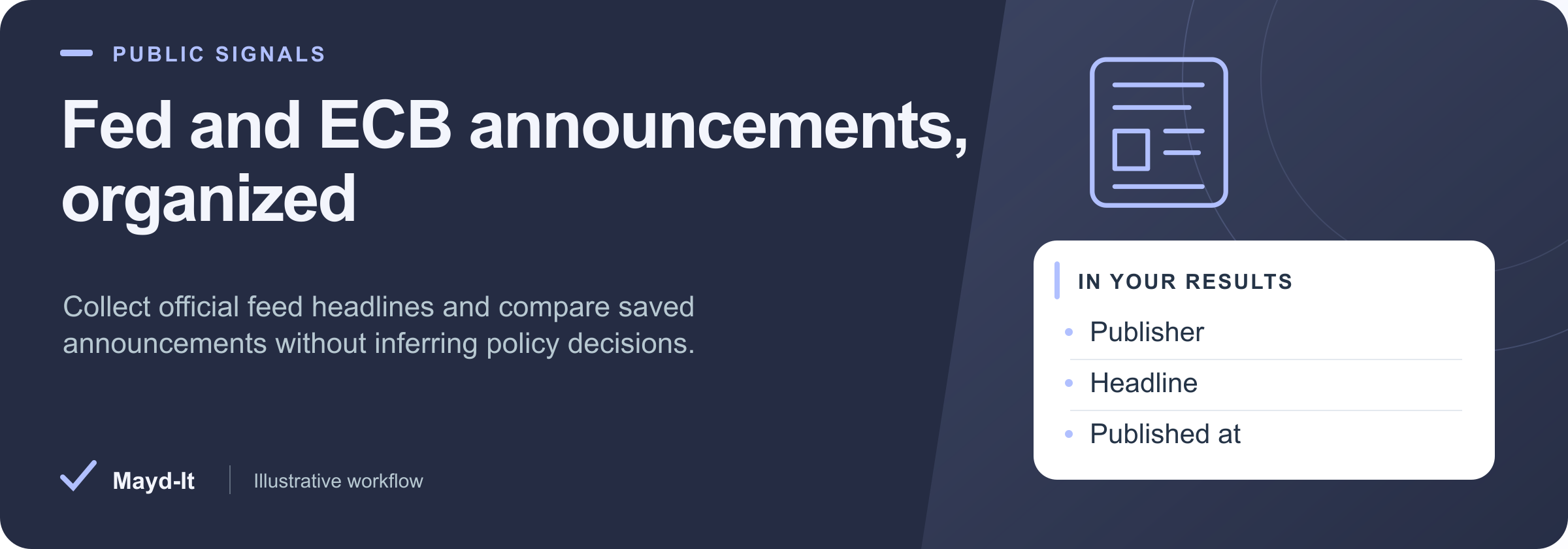
Fed and ECB announcements, organized
Build a sourced briefing feed for economic research or policy-news workflows. This Actor returns official Federal Reserve and ECB feed metadata, with dated headlines, links and optional saved comparisons.
Open this Actor in Console · First run · Results · Cost · Full guide
Try this Actor
- Choose a small scope. Use the existing Federal Reserve monetary-policy announcements example below: one feed, up to ten saved announcements, and twenty source candidates. Keep comparison off for a first snapshot.
- Run and review. Read announcement rows in the dataset and source coverage in the run's key-value-store
SUMMARY. Keyword and date filters apply within the current feed window. - Use the results. Export CSV for a headline list or JSON for evidence and comparison fields. Follow the official source link before interpreting an announcement.
Read this before using the data: Publication dates are not necessarily meeting or policy-effective dates. A changed feed record is not a policy-change judgment. Older announcements outside the current feed cannot be recovered by widening the date filter.
Federal Reserve Monetary Policy Announcements — copy this input into the JSON editor in Console.
{"sources":["fed-monetary"],"maxResults":10,"maxItemsPerSource":20}
Result preview
The dataset view highlights these columns:
- Announcement ID ·
announcementId - Publisher ·
publisher - Feed ·
sourceId - Headline ·
title - Official announcement ·
url - Published at ·
publishedAt
Use the original source links and the field definitions below when interpreting the results. CSV works well for flat columns; JSON preserves nested values.
Usage and pricing
Base result rate on the FREE tier: $2 per 1,000 policy announcement observations. The Pricing tab shows your plan's result rate and any Actor Start charge. Set a small result limit for the first run; the requested limit is not a guarantee of that many results.
Full guide
Collect recent official Federal Reserve and European Central Bank announcements with publisher dates, canonical links, keyword evidence and optional saved-run comparisons. No login or API key is required.
What this covers
fed-monetary: the Federal Reserve monetary-policy RSS feed, including statements and meeting minutes.fed-all: the Federal Reserve's all-press-releases RSS feed, which can also include regulatory and administrative announcements.ecb-press: the ECB feed covering press releases, speeches, interviews and press-conference transcripts.
These are the publisher's recent feed windows. A publication date is not necessarily the meeting, policy decision or effective date. This Actor collects announcement metadata; it does not calculate interest rates, predict markets, or determine geopolitical risk. It does not fetch full articles.
Official source information is available free from the linked publishers. The Actor fee pays for collection, structured output and comparison. ECB data is attributed to the European Central Bank in every record; the original information remains available free on its website. These are independent Mayd-it tools, with no central-bank endorsement.
Inputs and default
Omitted or empty sources uses fed-monetary and ecb-press. Default maxItemsPerSource: 10 inspects up to ten candidates per feed, before keyword/date filtering, and maxResults: 20 caps confirmed saved rows. The Console prefill uses the same feeds. maxRunSeconds defaults to 240, and every HTTP request, redirect and retry shares that budget.
keywords are case-insensitive literal substrings matched against the headline and publisher's feed excerpt. At least one term must match. matchEvidence states the field and matching excerpt. This is not full-article search or topic inference. startDate and endDate are inclusive UTC publication dates in YYYY-MM-DD format. They cannot recover items that already rolled out of the feed.
Federal Reserve monetary-policy announcements
Use the copyable first-run input above.
ECB official press and policy news
{"sources":["ecb-press"],"maxResults":10,"maxItemsPerSource":30}
Fed and ECB saved comparison
{"sources":["fed-monetary","ecb-press"],"maxResults":10,"maxItemsPerSource":5,"comparePrevious":true,"snapshotName":"fed-ecb-example"}
Output
Each row represents one official announcement observation, identified by a SHA-256 hash of its canonical source URL. It includes announcementId, publisher, sourceId, title, url, feedUrl, publishedAt, publicationDateRaw, excerpt, excerptTruncated, sourceCategories, contentHash, matchedTerms, matchEvidence, and observedAt.
Excerpts are publisher-supplied feed descriptions, stripped of HTML and limited to 800 characters; they may repeat the title or be empty. Categories are supplied by the publisher and may be empty. The Actor preserves the date supplied by the feed and also normalizes it to UTC. contentHash covers the full available feed excerpt, title, date and categories, allowing a change beyond the displayed excerpt to be detected. Matching evidence is drawn from that same feed text.
With comparison enabled, comparisonStatus is new, changed or unchanged; otherwise it is not_requested. changedFields identifies changed snapshot fields (title, publishedAt, contentHash), and previous retains the prior headline, timestamp and hash. A changed hash does not identify every changed word or imply a changed policy decision.
Saved history
Set comparePrevious: true, or onlyChanges: true to suppress unchanged observations. The first run saves matching observations and establishes history only for confirmed saved rows. An unchanged repeat with onlyChanges can legitimately return zero results. Comparisons use the named store maydit-central-bank-policy-history, isolated by namespace, sources and filters. Changing the candidate/result cap does not reset that namespace.
The Actor preserves unseen history when feeds roll over or a run is partial; it never reports removals. Invalid history stops comparison rather than overwriting it. History is capped at 20,000 identities per scope. Use a new snapshotName to start a separate workflow. Run one writer at a time per scope: a read-back detects some conflicts, but it is not a transactional lock and cannot prevent every simultaneous writer race.
Coverage and failures
Inspect the SUMMARY key-value record. It records source windows, invalid items, filters, duplicates, confirmed saved counts, unchanged skips, omitted sources, time and spending limits. Filtered or unchanged windows can be legitimately empty. An inaccessible or structurally invalid source produces diagnostics, never a paid error row. If all sources fail with no valid observations, the run fails. Partial success is explicitly marked.
Upstream availability, feed size and freshness are controlled by the publishers. The tool honors robots rules, checks public destination addresses, bounds response/decompression size, and rejects invalid XML/DTD declarations. It does not use proxies to bypass restrictions.
Pricing
FREE and BRONZE: $2 per 1,000 saved announcement observations, plus $0.00005 Actor Start (Apify's start-event memory rules apply). SILVER: $1.60/1,000; GOLD, PLATINUM and DIAMOND: $1.20/1,000. Unchanged observations are charged if saved; use onlyChanges to skip them. Failure diagnostics and unchanged skips are not dataset rows and are not charged as results. Spending limits are checked before each dataset write.
Official sources
Support: bmay@mayd-it.com
Help with your run
Open the Issues tab on this Actor with the run URL, the input field that caused trouble and what you expected to receive. Remove API keys and private information before posting.
Understand your run
Open Run report in the run’s Output tab for saved-record counts, reported source issues and limits, and suggested next steps. Use CSV export to take the saved results into a spreadsheet. The existing JSON results and detailed machine-readable summary remain available.
The report reflects this run’s recorded coverage. A successful run or a saved result does not establish that every possible source record was collected.
Related data tools
 Podcast Episode Monitor - RSS Updates & Show NotesMonitor public podcast feeds for new episodes and edited show notes. Stable IDs, topic evidence, audio URLs and published transcript/chapter links. No API key or audio downloads.
 Bluesky Public Posts Scraper - Feeds & ThreadsExtract public Bluesky author posts and supplied threads with links, reply relationships and engagement metrics. Optional saved-observation change tracking. No login or API key.
 Luma Events Scraper - Public Calendars & Event ChangesExport public Luma city and organizer calendar subscriptions. Stable event IDs, dates, locations, literal topic evidence and saved schedule changes. No login or private guest data.